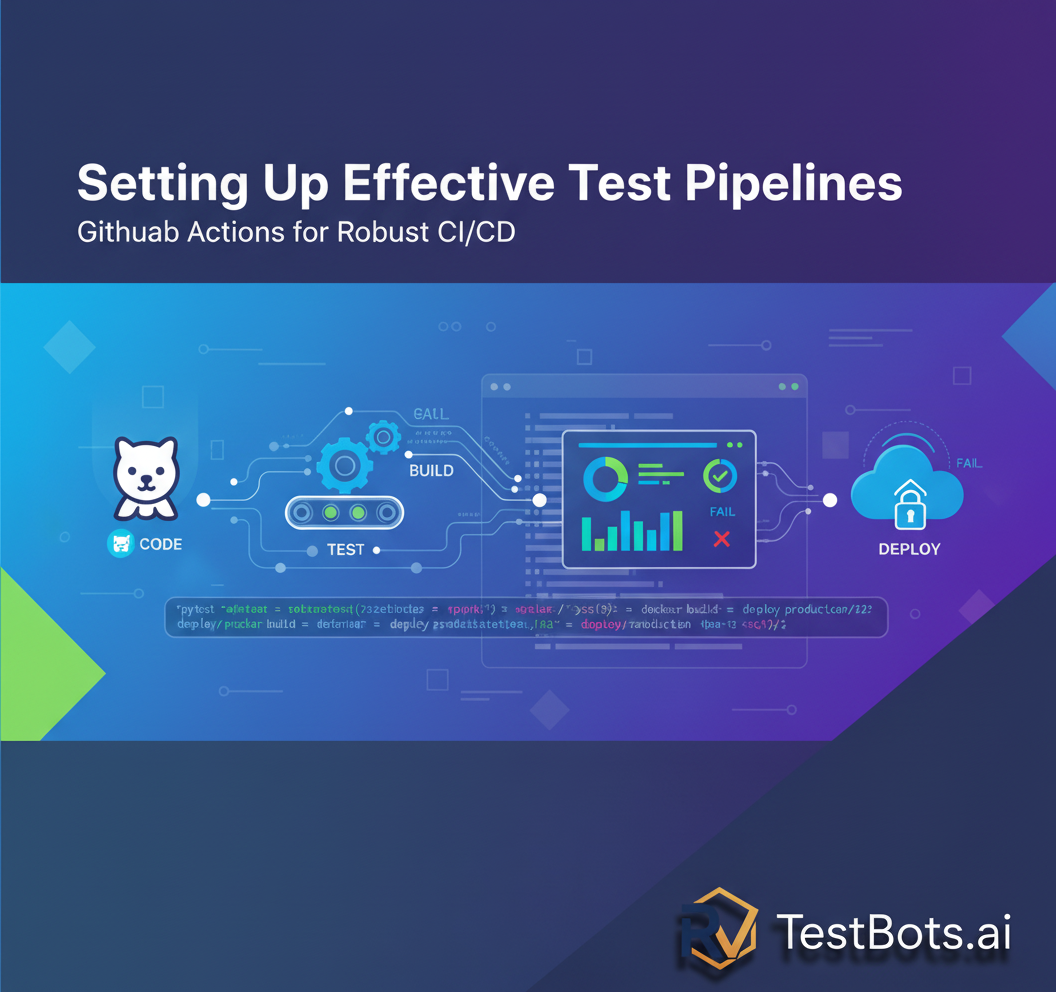
In today's fast-paced development landscape, robust CI/CD pipelines are non-negotiable. This guide will walk you through setting up highly effective test pipelines using GitHub Actions, focusing on best practices and integration with modern QA tools.
In the relentless pursuit of software quality, establishing an effective test pipeline in GitHub Actions has become a cornerstone for modern development teams. Today, the demand for rapid, reliable, and secure software releases continues to accelerate, making automated testing within CI/CD pipelines not just a best practice, but a critical necessity. Without a well-orchestrated testing strategy integrated into your development workflow, teams risk deploying faulty code, leading to costly regressions, reputational damage, and ultimately, user dissatisfaction. This article will guide software quality assurance testers, QA management, and IT executives through the intricacies of building robust, efficient, and scalable test pipelines using GitHub Actions, ensuring your applications meet the highest quality standards.
The software industry's landscape is evolving rapidly. A report by ZDNet projects that over 85% of new enterprise applications will leverage cloud-native architectures, further emphasizing the need for automated, cloud-based CI/CD solutions like GitHub Actions. Integrating testing seamlessly into these pipelines allows for immediate feedback on code changes, significantly reducing the mean time to detect and resolve defects.
Why GitHub Actions for Your Test Pipelines?
GitHub Actions offers a powerful, flexible, and native CI/CD solution directly within your GitHub repositories. Its event-driven nature allows you to automate workflows based on various triggers, such as pushes, pull requests, and scheduled events. This tight integration with your source code management provides several compelling advantages for building test pipelines:
- Seamless Integration: Being an intrinsic part of GitHub, Actions provides unparalleled integration with your repositories, issues, and pull requests, streamlining the developer experience.
- Extensive Marketplace: The GitHub Marketplace boasts a vast collection of pre-built actions for various tasks, including testing frameworks, code analysis tools, and deployment utilities, significantly accelerating pipeline setup.
- Scalability and Flexibility: GitHub Actions supports a wide range of operating systems, programming languages, and execution environments, making it suitable for diverse project needs. It scales automatically to handle your workload.
- Cost-Effectiveness: For public repositories, GitHub Actions is free. For private repositories, it offers generous free tiers and competitive pricing, making it accessible for teams of all sizes.
- Visibility and Traceability: All workflow runs are logged and accessible directly within GitHub, providing clear visibility into the status of your tests and deployments.
Core Concepts of GitHub Actions Workflows
Before diving into pipeline creation, understanding key GitHub Actions concepts is crucial:
- Workflow: A configurable automated process defined by a YAML file in your
.github/workflowsdirectory. - Event: A specific activity that triggers a workflow run (e.g.,
push,pull_request,schedule). - Job: A set of steps that execute on the same runner. Workflows can have multiple jobs that run sequentially or in parallel.
- Step: An individual task within a job. A step can be an action, a shell command, or a script.
- Action: A reusable unit of code that performs a specific task. Actions can be custom-built, community-contributed, or from the GitHub Marketplace.
- Runner: A server that executes your workflow. GitHub provides hosted runners, or you can host your own self-hosted runners.
Designing Effective Test Pipelines: Best Practices
Building an effective test pipeline goes beyond merely executing tests. It involves strategic planning, intelligent tool selection, and continuous optimization. Here are best practices for setting up your test pipelines in GitHub Actions:
1. Shift-Left Testing: Integrating Early and Often
The principle of 'shift-left' testing is more relevant than ever. Integrate unit tests, static code analysis, and security scans (like those recommended by OWASP) as early as possible in your pipeline, ideally on every pull request. This catches defects when they are cheapest to fix.
"The cost of fixing a bug increases exponentially the later it's discovered in the software development lifecycle." - Martin Fowler
Example GitHub Actions snippet for unit tests:
name: Run Unit Tests

on:
  pull_request:
    branches: [ main, develop ]
  push:
    branches: [ main, develop ]

jobs:
  build:
    runs-on: ubuntu-latest

    steps:
    - uses: actions/checkout@v4
    - name: Set up Node.js
      uses: actions/setup-node@v4
      with:
        node-version: '18'
    - name: Install dependencies
      run: npm ci
    - name: Run unit tests
      run: npm test
2. Parallelize Tests for Speed
Long test suites can significantly slow down your CI/CD pipeline. GitHub Actions allows you to run jobs in parallel, drastically reducing feedback time. For larger test suites, consider sharding your tests across multiple runners.
You can define jobs that run concurrently. For example, one job for unit tests, another for integration tests, and a third for linting, all running at the same time.
3. Leverage Caching for Faster Builds
Dependencies (e.g., node_modules, Maven repositories, Python virtual environments) often take a significant amount of time to download and install. GitHub Actions' caching mechanism can store and reuse these dependencies between workflow runs, leading to substantial speed improvements.
    - name: Cache Node.js modules
      uses: actions/cache@v4
      with:
        path: ~/.npm
        key: ${{ runner.os }}-node-${{ hashFiles('**/package-lock.json') }}
        restore-keys: |
          ${{ runner.os }}-node-
4. Isolate Test Environments with Containers
Ensure your tests run in consistent, isolated environments by using Docker containers. GitHub Actions supports running jobs directly within a specified Docker image, eliminating 'it works on my machine' issues.
jobs:
  test:
    runs-on: ubuntu-latest
    container: cypress/included:12.17.4 # Example for Cypress tests
    steps:
      - uses: actions/checkout@v4
      - name: Run Cypress tests
        run: npx cypress run
5. Implement Comprehensive Reporting and Notifications
Visibility into test results is paramount. Integrate actions that publish test reports (e.g., JUnit XML) to GitHub's UI or external reporting tools. Set up notifications (Slack, email) for workflow failures to ensure immediate awareness and action.
Consider using actions like dorny/test-reporter@v1 to display test results directly in pull requests.
6. Secure Your Pipelines
Security is not an afterthought. Use GitHub Secrets to store sensitive information (API keys, credentials) and avoid hardcoding them in your workflow files. Regularly review permissions granted to actions and use specific action versions (e.g., actions/checkout@v4 instead of actions/checkout@main) to prevent unexpected changes.
Advanced Test Pipeline Strategies with GitHub Actions
Beyond the basics, several advanced strategies can elevate your test pipelines:
Conditional Workflow Execution
Optimize resource usage by running specific tests only when relevant changes occur. For instance, run UI tests only if UI-related files have been modified. The paths and paths-ignore filters in your on trigger or the if conditional statements on jobs/steps are powerful tools here.
on:
  pull_request:
    paths:
      - 'src/frontend/**'
      - 'tests/ui/**'
Matrix Builds for Cross-Environment Testing
Ensure broad compatibility by testing your application across multiple environments (e.g., different Node.js versions, Python versions, or operating systems) using matrix strategies. This is invaluable for libraries and open-source projects.
jobs:
  build:
    runs-on: ubuntu-latest
    strategy:
      matrix:
        node-version: [16.x, 18.x, 20.x]

    steps:
    - uses: actions/checkout@v4
    - name: Use Node.js ${{ matrix.node-version }}
      uses: actions/setup-node@v4
      with:
        node-version: ${{ matrix.node-version }}
    - name: Run tests
      run: npm test
Integrating with TestBots.ai for AI-Powered Testing
For comprehensive and intelligent test automation, integrating your GitHub Actions pipelines with platforms like TestBots.ai is a game-changer. TestBots.ai provides advanced features that complement GitHub Actions:
- AI Test Studio: Leverage AI to generate and maintain robust test scripts, reducing manual effort and increasing test coverage. The AI Test Studio can be triggered as part of your CI/CD pipeline to ensure new features are automatically covered.
- Test Script Recorder: Quickly create end-to-end UI tests with a codeless recorder, which can then be executed by your GitHub Actions workflow for continuous regression testing. Learn more about the Test Script Recorder.
- Cross-Browser/Device Testing: TestBots.ai can orchestrate tests across a vast array of browsers and devices, providing critical coverage that's difficult to manage purely with self-hosted runners.
- Intelligent Reporting: Centralized dashboards and AI-powered root cause analysis from TestBots.ai provide deeper insights into test failures than standard CI logs, accelerating debugging.
To integrate, your GitHub Actions workflow would typically:
- Build and deploy your application to a staging environment (if not already deployed).
- Trigger TestBots.ai to execute your automated test suites against the deployed application using an API call or a dedicated GitHub Action (if available).
- Wait for TestBots.ai to report results back to the workflow, potentially failing the build if critical tests fail.
This hybrid approach combines the power of GitHub Actions for core CI tasks with the specialized, AI-driven testing capabilities of TestBots.ai, offering a truly comprehensive quality gate.
Monitoring and Optimization
Continuously monitor your workflow run times and identify bottlenecks. Use the GitHub Actions UI to analyze job durations. Refactor slow tests, optimize build steps, and consider using larger runners or self-hosted runners for resource-intensive tasks. The goal is to keep feedback loops as fast as possible.
Example: A Multi-Stage Test Pipeline in GitHub Actions
Here's a conceptual example of a comprehensive test pipeline for a web application:
name: Full CI/CD Pipeline

on:
  push:
    branches: [ main ]
  pull_request:
    branches: [ main, develop ]

env:
  NODE_VERSION: '18'
  DOTNET_VERSION: '6.0.x'

jobs:
  lint-and-unit-test:
    name: Lint & Unit Tests
    runs-on: ubuntu-latest
    steps:
    - uses: actions/checkout@v4
    - name: Setup Node.js
      uses: actions/setup-node@v4
      with:
        node-version: ${{ env.NODE_VERSION }}
        cache: 'npm'
    - name: Install Frontend Dependencies
      run: npm ci --prefix ./frontend
    - name: Run Frontend Lint
      run: npm run lint --prefix ./frontend
    - name: Run Frontend Unit Tests
      run: npm test --prefix ./frontend
      # Optional: Upload test results artifact
      - uses: actions/upload-artifact@v4
        with:
          name: frontend-test-results
          path: ./frontend/junit.xml

  backend-tests:
    name: Backend Build & Tests
    runs-on: ubuntu-latest
    steps:
    - uses: actions/checkout@v4
    - name: Setup .NET SDK
      uses: actions/setup-dotnet@v4
      with:
        dotnet-version: ${{ env.DOTNET_VERSION }}
    - name: Restore Backend Dependencies
      run: dotnet restore ./backend
    - name: Build Backend
      run: dotnet build ./backend --no-restore
    - name: Run Backend Unit Tests
      run: dotnet test ./backend --no-build --verbosity normal

  integration-and-e2e-tests:
    name: Integration & E2E Tests
    runs-on: ubuntu-latest
    needs: [lint-and-unit-test, backend-tests] # Ensures previous jobs pass
    steps:
    - uses: actions/checkout@v4
    - name: Deploy to Staging (mock or actual)
      # This step would typically deploy your application to a temporary environment
      run: echo "Deploying application to staging environment..."

    - name: Trigger TestBots.ai E2E Suite
      # Replace with actual TestBots.ai integration action or API call
      run: |
        echo "Triggering TestBots.ai test suite..."
        # Example: curl -X POST -H "Authorization: Bearer ${{ secrets.TESTBOTS_API_KEY }}" \
        #   https://api.testbots.ai/v1/suites/run --data '{"suiteId": "your-suite-id", "environment": "staging"}'
        sleep 30 # Simulate test execution time
        echo "TestBots.ai tests completed. Checking results."
        # Example: Add logic to fetch results and fail if necessary

    - name: Run API Integration Tests
      uses: actions/setup-node@v4
      with:
        node-version: '18'
    - run: npm install -g newman # Example for Postman collection runner
    - run: newman run my-api-collection.json -e staging-env.json

  security-scan:
    name: Security Scan
    runs-on: ubuntu-latest
    needs: backend-tests # Run after backend build
    steps:
    - uses: actions/checkout@v4
    - name: Run OWASP Dependency Check
      uses: dependency-check/action@v3 # Example for dependency scanning
      with:
        project: 'my-app'
        path: '.'
        format: 'HTML,JUNIT'

  deploy-to-production:
    name: Deploy to Production
    runs-on: ubuntu-latest
    needs: [integration-and-e2e-tests, security-scan] # Requires all tests and scans to pass
    if: github.ref == 'refs/heads/main' # Only deploy main branch to production
    environment: production # Link to GitHub Environment for protection rules
    steps:
    - name: Deploy Application
      run: echo "Deployment to production complete!"
This example demonstrates a progressive pipeline:
- Frontend linting and unit tests run in parallel with backend build and unit tests.
- Integration and E2E tests (including a placeholder for TestBots.ai) and a security scan only proceed if earlier, faster tests pass.
- Deployment to production is contingent on all preceding quality gates being met and is restricted to the main branch.
Conclusion
Building effective test pipelines in GitHub Actions is a continuous journey of refinement and optimization. By embracing best practices like shift-left testing, parallelization, caching, and containerization, and by strategically integrating powerful tools like TestBots.ai, quality assurance professionals and development teams can significantly enhance their CI/CD processes. This not only accelerates delivery but also ensures that the software released is robust, reliable, and meets user expectations in an increasingly competitive market.
As a QA professional, the ability to architect and manage such pipelines is a highly sought-after skill. For IT managers and executives, investing in these robust pipelines translates directly into reduced operational costs, faster time-to-market, and higher customer satisfaction. Freelancers and independent testers can also leverage these skills to offer invaluable services to clients seeking to modernize their development practices.
Ready to supercharge your test automation? Explore how TestBots.ai's AI Test Studio and Test Script Recorder can seamlessly integrate into your GitHub Actions workflows, providing intelligent test generation, execution, and reporting. Visit TestBots.ai today to learn more and elevate your software quality.

Marcus Chen
DevOps engineer and CI/CD specialist. Writes about integrating testing into modern development pipelines.